How to apply an Outcome to a Quiz
Last updated: Apr 16, 2026
12408
views

Prerequisites
For an Outcome to be aligned to a quiz, the quiz will first need a question bank setup. Each question bank can have multiple Outcomes aligned to it. It is possible to have multiple question banks within a single Canvas quiz.
Aligning Outcomes to Question Banks
- Click into your course.
- On the course navigation menu on the left, select Quizzes.
-
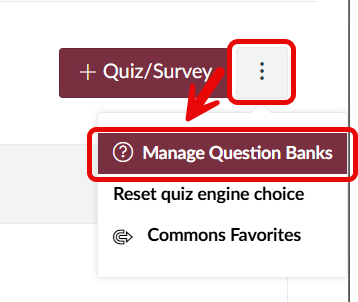
Select the three vertical dots button just to the right of
the +Quiz/Survey button. Select
Manage Question Banks.
-
Click on the name of the question bank you want to align with an Outcome.

-
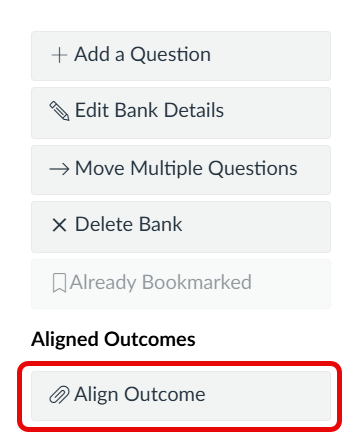
Select the Align Outcome button located at the bottom of
the question bank's option menu (this menu will either display on the
right-hand side of the page, or at the bottom of the page).
-
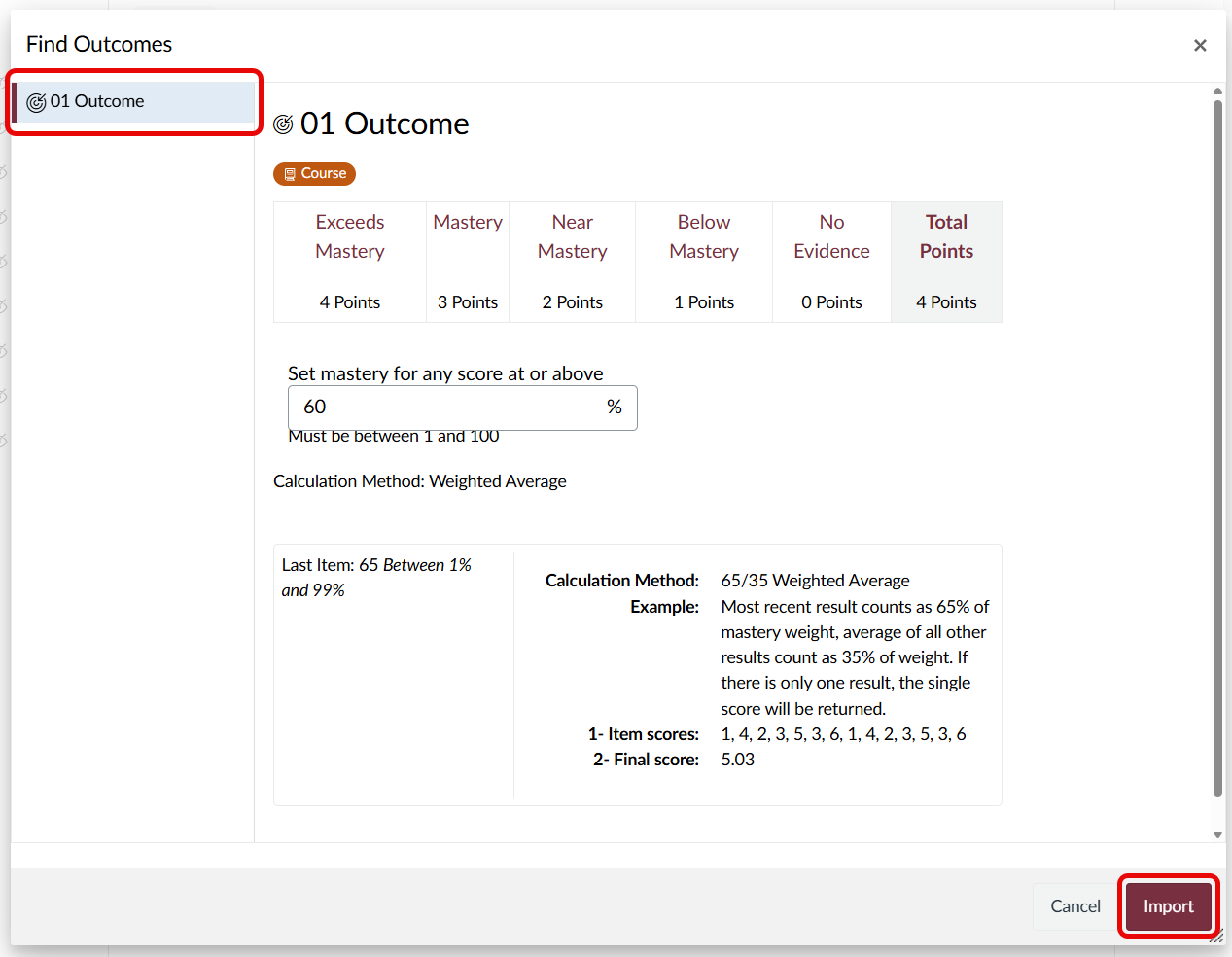
In the pop-up window that appears, select the outcome you want in the
navigation pane on the left. Then, click the garnet Import
button in the bottom right corner.
-
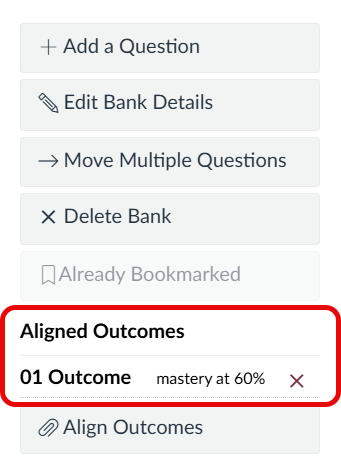
You will now see your Outcome listed on the quiz bank page.