Using Canvas's Student View
Can I view my course site from the student perspective?
Yes, the Student View tool allows you to view your course as your students see it. However, please note that Student View is not the same as the actual Student role and will only give you a general idea of how your students can interact with your course content.
You can check if features like a Module or item are Published, if Availability Dates are visible, or if students have access to certain features on the Course Navigation. You may run into issues with third-party tools, as Student View is not compatible with tools that link outside of Canvas.
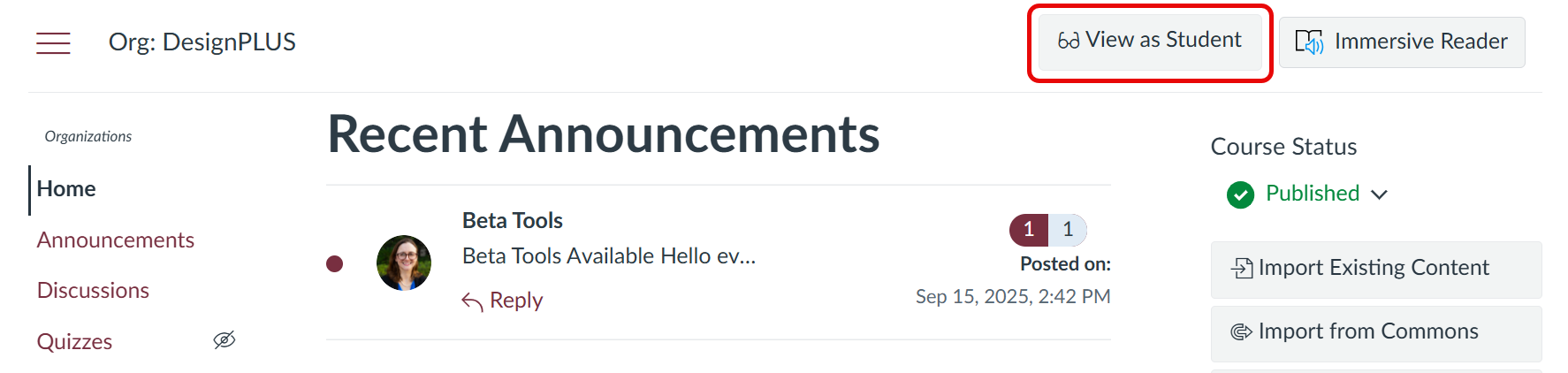
You can access Student View from most areas of the course including: Home, Modules, Assignments, Announcements, Discussions, Quizzes, Pages, Syllabus, and Outcomes by pressing the View as Student button along the top of the valid page types.