


Instructors: How to access your Turnitin.com account for the first time

Last updated: Apr 09, 2026
26325
views

Note: You must have created a Turnitin assignment in Canvas in order to trigger the creation of your account on Turnitin.com. If you have not created a Turnitin assignment in either a course or development site in Canvas, then the steps in this article will not work.
Instructions for Accessing Turnitin.com
- Find the email address associated with your Canvas user account. This should default to your FSUID email address, but if you have changed it, then you will need to use the email address that is currently associated with your Canvas user account.
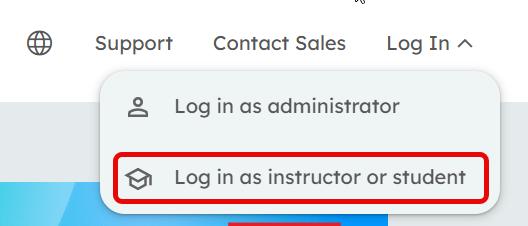
- Navigate to Turnitin.com and click the Log In button in the upper right corner or go straight to the login page.
-
Click Log in as instructor or student.
-
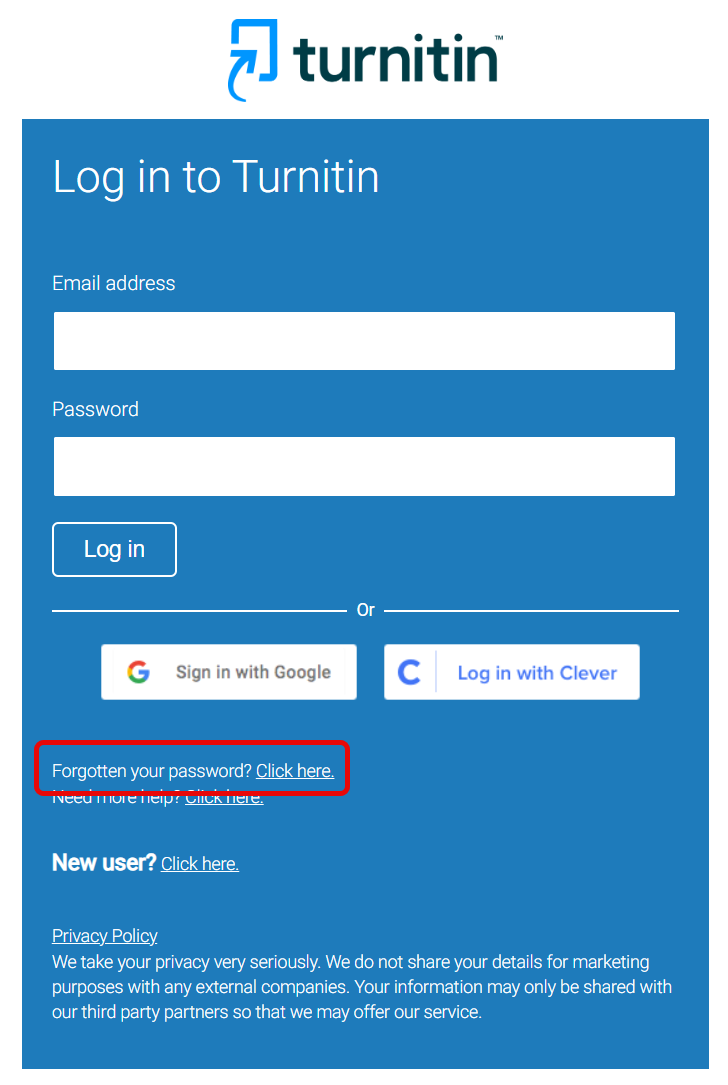
Next to the "Forgotten your password?"" option, click the
Click here text.
-
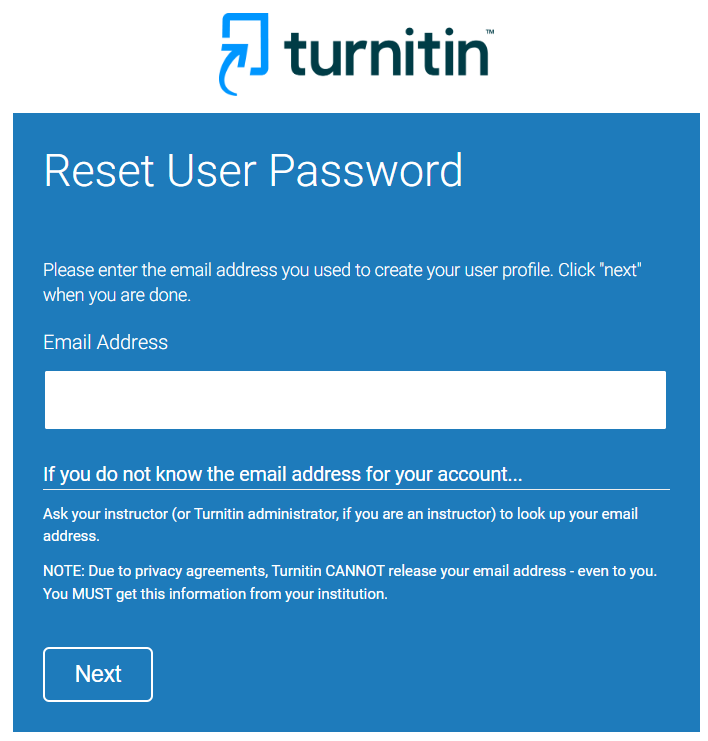
On the Reset User Password page, enter in your Canvas-associated email
address, then click the Next button.
-
The password reset link will be sent to the email address that you have entered in. Open that email and click on the link provided to designate your password for Turnitin.com.
Note: Turnitin specifies that you have 24 hours to use the link to reset your password. If you are unable to do so in the allotted time, you must repeat the above steps.











